The real Caucasus
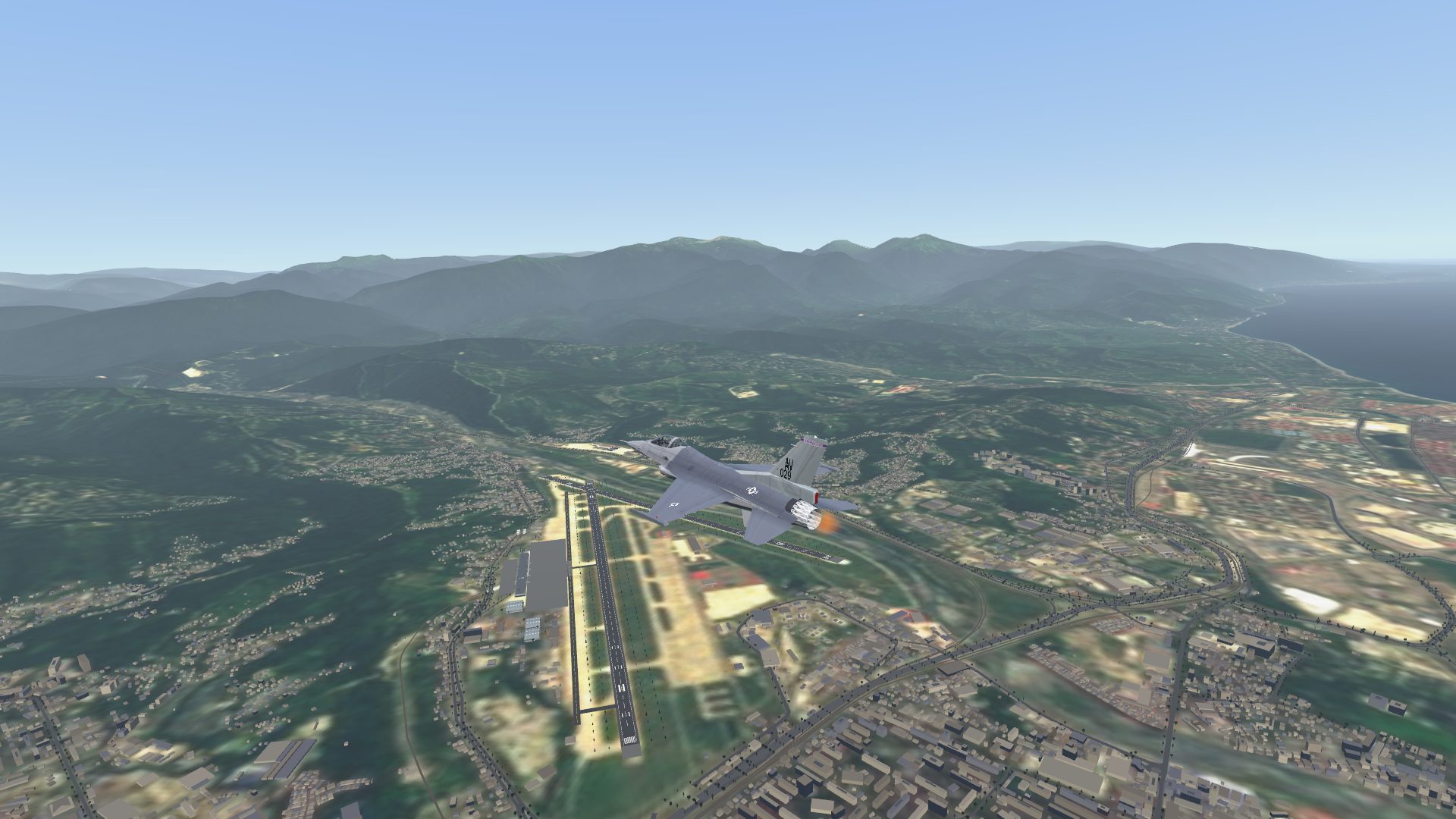
FlightGear terrain and land cover from 26 to 49 degrees east, Sentinel-2 imagery draped over every sortie airfield, forests placed by land class, and hangars, shelters, towers and terminals at 99 airfields.
Combat flight simulation
Satellite-imagery terrain from the Black Sea to the Greater Caucasus, four jets with working cockpits, and an eastern air force that fights back.
What you get
Built around three things: ground that looks like the ground, cockpits you can actually work, and enemies that behave like pilots.
FlightGear terrain and land cover from 26 to 49 degrees east, Sentinel-2 imagery draped over every sortie airfield, forests placed by land class, and hangars, shelters, towers and terminals at 99 airfields.
Gauges, radar scopes and displays are driven by the simulation. Switches, push-button displays and handles respond to the mouse. Set the seat height and fore/aft to suit you.
Quick Fights pit you against veteran eastern fighters, a different jet each time, with their own performance and weapons. Or choose the jet, the pilots’ skill and how many there are.
Start from battery off with a step-by-step procedure panel: battery, starter, fuel, avionics, brake. Or let it run the checklist for you.
Open the left and right MFDs as floating windows anywhere, in the cockpit or out of it, and flip between flight, stores, radar, pod and navigation pages.
Peer-to-peer over the public internet using STUN traversal. Share a room code with your wingman; there is no server to rent.
Hangar
Each aircraft carries its own FlightGear cockpit, converted for the game with live instruments and its own flight characteristics.
Systems
The flight dock keeps gear, flaps, hook, master arm and the rest one click away, in the cockpit and out of it. Open the aircraft systems panel to work through a cold-and-dark start, one step at a time.
Displays
Flying from the chase camera and still want the radar? Open the displays as windows. They show the same pages as the cockpit screens, driven by the same data.
Gallery
Every image here is a screenshot from the simulator. Select one to see it full size.
Posters
Posters and a few memes made from in-game captures. Select one to see it full size, save it and post it wherever you like.
Download
Project Wild Weasel is in beta for Windows 10 and 11 (64-bit). The first 10 pilots get a free licence; paid licences follow. Expect rough edges in a beta, and tell us what you find.
Beta · 64-bit · no installer, no account
Get it on itch.ioThe first 10 beta licences are free. After that, paid licences are on itch.io.
Donate via PayPal Optional: it helps keep development going.
The built-in updater reads a signed manifest, checks every file’s SHA-256 and swaps the new version in while the game is closed. Licence keys are verified offline against a public key built into the game; nothing is sent anywhere.
W/A/S/D and the mouse fly the jet; Page Up and Page Down (or the wheel) set throttle. Hold Alt to free the pointer and click cockpit switches; Tab toggles pointer and flight mode. F6 opens the cockpit guide, F10 the systems panel, Numpad 7 and 1 move the seat forward and back.